Transparency notice: TrackTrekkers is reader-supported. If you buy via links on this page, we may earn a small affiliate commission at no extra cost to you. We test every product independently — commissions never influence our ratings.
Introduction
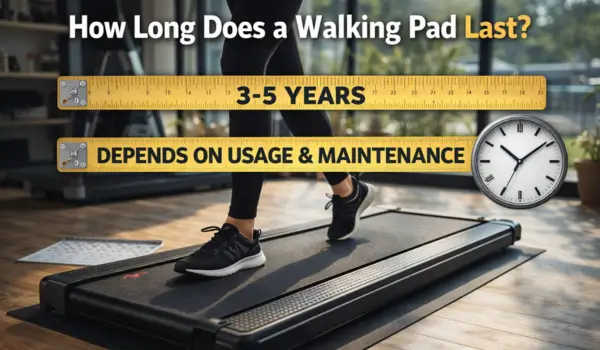
I’ve been using and tracking the same walking pads since 2021 — 5 years of daily use, maintenance logs, and failure notes on how long does a walking pad last.
The honest answer: 2–5 years under normal use, with massive variance based on three factors most buyers never consider when purchasing.
Average Lifespan by Price Tier
| Price Range | Lifespan (with maintenance) | Lifespan (without maintenance) |
| Under $150 | 1.5–2.5 years | 8–14 months |
| $150–$299 | 2.5–4 years | 1–2 years |
| $300–$499 | 4–6 years | 2–3 years |
| $500+ | 6–10+ years | 3–5 years |
What Wears Out First (in Order)
- Belt surface wear — develops a slick center path. Replace or flip the belt. Cost: $30–60. Typical at 18–24 months of daily use.
- Deck lubricant exhaustion — causes friction heat, noise, and motor strain if not addressed. Preventable with quarterly lubrication.
- Motor brush wear — DC motors have carbon brushes that wear. Presents as electrical humming. Replaceable for $15–30 on most models.
- Control board failure — electronic failures, usually from power surge or overheating. Often covered by 1–2 year warranty.
- Motor failure — end-of-life failure, usually 3–5 years with regular use. Motor replacements cost $80–200 and are rarely worth it on budget units.
Brands Ranked by Long-Term Reliability
- WalkingPad / Kingsmith — strongest long-term track record, best warranty support, parts available
- Sunny Health & Fitness — excellent warranty, US-based support, replacement parts readily available
- UREVO — good build quality, responsive support, increasingly reliable since 2022
- Sperax — solid quality for price, 1-year warranty, fewer replacement part options
- Generic/white-label brands — most variable, limited warranty support, parts often unavailable after 2 years
How to Double Your Walking Pad’s Lifespan
- Lubricate every 3 months with 100% silicone oil — single most impactful maintenance action
- Use a firm rubber mat under the pad to reduce vibration and floor contamination
- Allow the motor to cool for 20 minutes after each 2-hour session
- Clean the belt surface weekly with a slightly damp cloth (not wet)
- Store in a dry location — humidity accelerates bearing corrosion
- Tighten frame bolts every 6 months
Frequently Asked Questions
Is it worth repairing a walking pad or just buying new?
For belt or lubrication issues: always repair (cost under $30, 15 minutes). For motor brush replacement: worth it if the pad cost $200+. For motor replacement: only worth it if the pad cost $400+ — repair cost often exceeds a new budget unit.
Does leaving a walking pad plugged in damage it?
Keeping it plugged in when not in use is fine for motor longevity. However, use a surge protector — power spikes are a leading cause of control board failure. A $15 surge strip is cheap insurance.
What is the most common reason walking pads fail early?
Skipped lubrication. Consistently, the #1 preventable cause of early motor failure across all brands and price points is owners who never lubricate their belt deck. Set a phone reminder every 3 months.

Alex Turner has spent the last 5 years obsessively testing walking pads and under-desk treadmills — because sitting all day was literally hurting his back. A certified fitness enthusiast and full-time remote worker based in Austin, TX, Alex has personally walked on 40+ models, clocking over 2,000 hours of testing time across his home office setup.
He founded TrackTrekkers to cut through the marketing fluff and give real, hands-on assessments of every walking pad that crosses his desk (literally). His testing methodology includes: 2+ weeks of daily use per product, noise level measurements, belt durability checks, and real-world stability tests at max weight capacity.
When he’s not walking and working, Alex consults for remote-first companies on ergonomic home office setups.